Le Moyne PoGo Map
Discord Server
We’re using the PokeNav bot in Discord to create a map showing raid progress and research tasks on the the Le Moyne College campus.
- Le Moyne PoGo Map Discord invite: https://discord.gg/4u8Zjp
Table of Contents
Here’s what the PoGo map for the Le Moyne College quad looks like.

Note: The “Le Moyne Clock” location appears twice because PokeNav verified the location at one point when the GPS coordinates were off. Those coordinates were fixed in the game in 2018, but PokeNav still has the old information. In the meantime, we set the POI alias using the correct GPS coordinates, so the clock Pokestop appears twice. At the moment, PokeNav doesn’t have a mechanism for the community to report these sorts of errors.
POI Aliases
Here are Points of Interest (POI) aliases for the Gyms and Pokestops on-campus and near campus. These save some typing for reporting Raids and Research.
Gyms
- chapel = “Panasci Family Chapel”
- devotion = “Devotion”
- dolphy = “Eric Dolphy Jr. Statue”
- shelter = “Wheaton Shelter”
Pokestops
- bell = “Le Moyne College Bell Tower”
- clock = “Le Moyne Clock”
- grewen = “Grewen Hall Of Presidents”
- iron = “Iron Sculpture”
- library = “Falcone Library”
- lynch = “Shane Lynch Memorial”
- mitchell = “Mitchell Hall”
- pac = “W. Carroll Coyne Center for the Performing Arts”
- reilly = “Reilly Hall”
- sign = “Lemoyne College Sign”
- soule = “Soule Branch Library”
- cemetery = “Salt Springs Cemetery”
- wheaton = “Homer Wheaton Park”
Reporting Raids
Report in the #announce-raids-here channel in Discord. Reporting a raid will create a new channel in Discord that lasts for the duration of the raid.
After reporting a raid, it will be listed in the #active-raids channel. More importantly, it will create a channel on the fly just for that raid, where members of the Discord server can indicate if they will participate.
PokeNav documentation: https://docs.pokenavbot.com/raids.html
Reporting Raid Bosses: Uploading Gym Screenshots
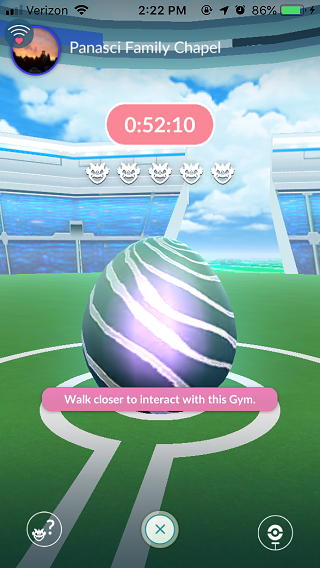
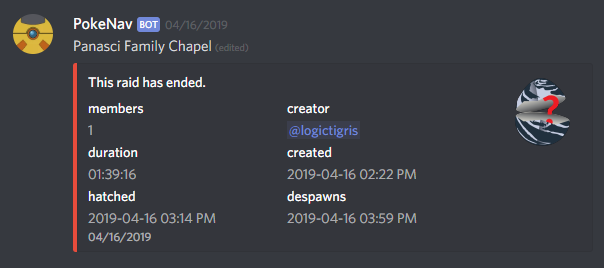
You can upload a screenshot of the raid gym, showing the name of the gym and the time to hatch or despawn. E.G., here’s an egg report.
Screenshot Upload Quota
Note: there’s a limit of 20 screenshot uploads per month per person. You can check where you are at by typing “$quota” in the #general channel.

If a user exceeds their individual and shared quota, PokeNav will send them a DM with instructions on increasing their monthly quota via support on Patreon. They will be unable to perform any action that requires scanning a screenshot.
Note: I’m not endorsing the following; in fact, just the opposite. I’m mentioning it so you understand how this particular bot works. “Patreon supporters can share their quota with their primary server using the $share-quota command in any channel where PokeNav is active. Multiple people can share their quota with the server, creating a larger pool of available scans. If any user exceeds their individual quota of 20 scans in a given month, they may use up to 30 additional scans from the shared quota.”
PokeNav documentation: https://docs.pokenavbot.com/quota.html
Reporting Raid Bosses: Command Line
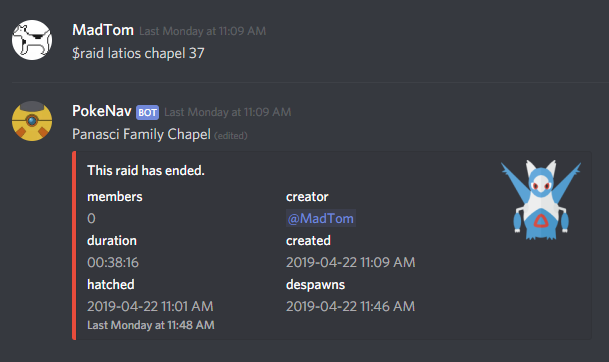
Command takes this form: “$raid latios chapel 37”, where:
$raidis the commandlatiosis the name of the Pokemon (case insensitive)chapelis the name of the POI; can use alias or full name37is the number of minutes until despawn
Reporting Unhatched Raid Bosses
If egg still hasn’t hatched, instead use the $egg command.
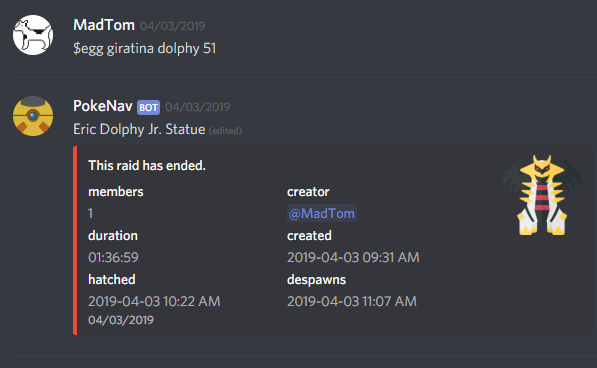
E.G., “$egg giratina dolphy 51” or “$egg T5 dolphy 51”, where:
$eggis the commandgiratinais the name of the Pokemon, if known; else use the tier, e.g.,T5dolphyis the name of the POI; can use alias or full name51is the number of minutes until hatch
Note: You will need to go into the the new raid channel after hatch and report the name of the Raid boss that hatched from the egg. E.G., $boss giratina
Example: Reporting A Raid
A user reports a T1 raid at the Devotion gym hatching in 45 minutes.

This creates a new channel for that raid, where members of the server can indicate their interest.

This updates the map to show the raid progress.

If you click the egg, it will show more information about the raid, including time to hatch and despawn, with ongoing timers for both.

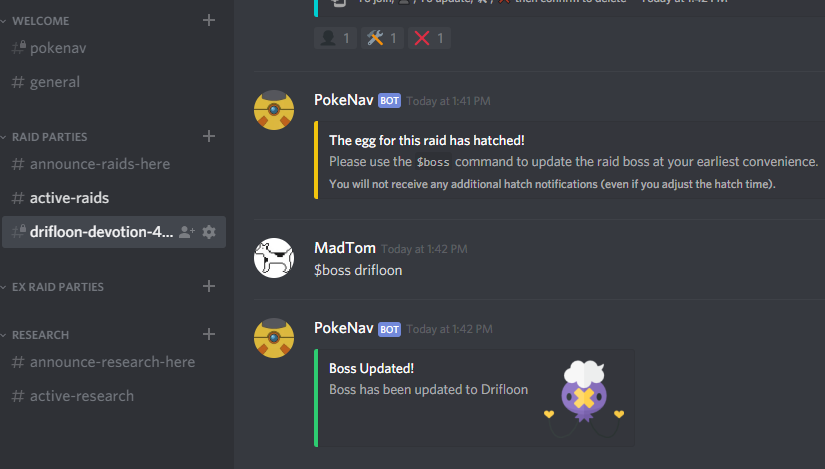
When the egg hatches, go into the channel for the raid party and report the boss. E.G., $boss drifloon. Note the name of the raid party channel will update to reflect the new boss.
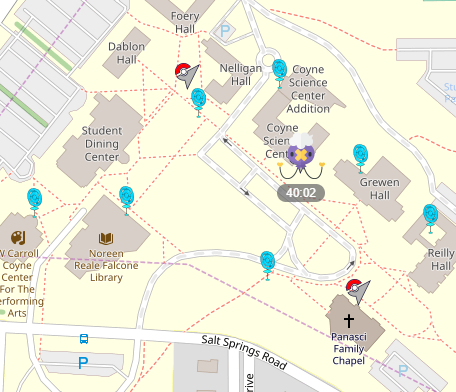
Once the raid boss is named, the map will update to reflect that information.
Raid Boss Counters
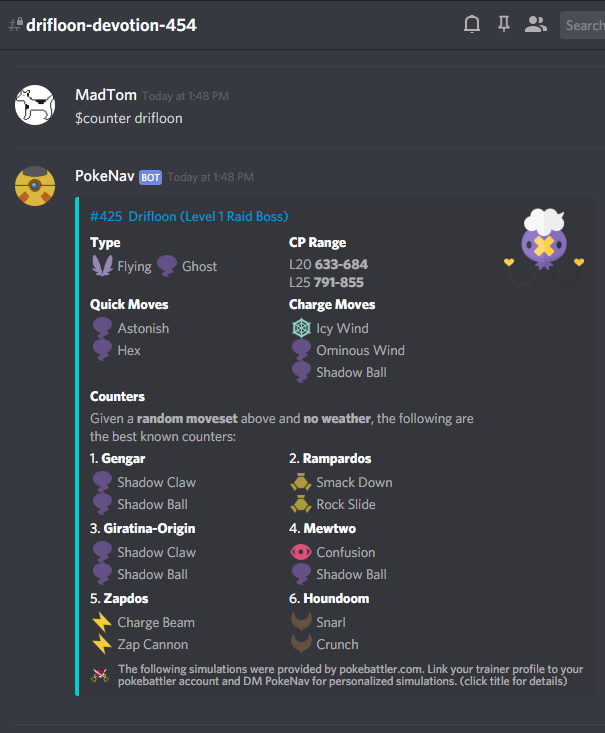
If the raid boss was set, simply use $counters to get the list of counters for that boss. You can also provide current weather conditions, $counters rain.
You can also ask for counters for a specific Pokemon – e.g., $counters drifloon.
Reporting Research Tasks
You report research tasks from the command line in the #announce-research-here channel in Discord. Reporting a research task will add it to the #active-research channel in Discord that lasts until midnight, when the research tasks change over.
The game doesn’t tell you up front which Pokemon will be the reward for research tasks involving Pokemon encounters. Plus, some of them change after a month or two so, you have to remember or look them up. There are several sites that provide regularly updated infographics with this information, including LeekDuck, The Silph Road, GamePress, etc.
However, I prefer a text list, so I maintain the following:
PokeNav documentation: https://docs.pokenavbot.com/research.html
Examples: Research Reporting
Let’s give a few examples to show how this works. In each, I’m using the POI alias instead of the full name of the Pokestop.
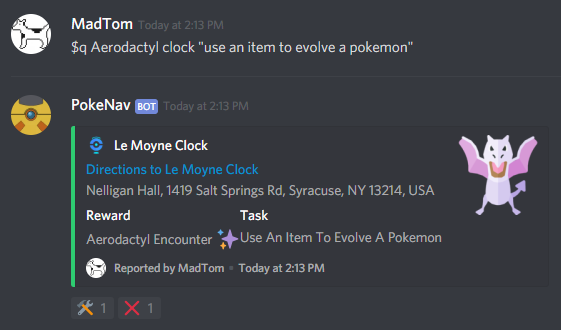
$q Aerodactyl clock "use an item to evolve a pokemon"
$qis the research reporting commandAerodactylis the Pokemon encounter reward for the research taskclockis the POI alias of the pokestop"use an item to evolve a pokemon"is the reward for the research task
Note: the name of the Pokemon doesn’t need to be in quotes (and shouldn’t be) since it is a single word. However, you have to quote the research task because it is a phrase.
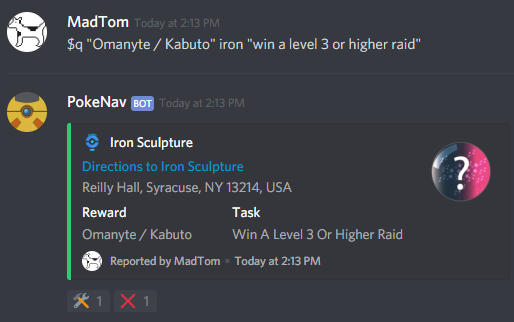
$q "Omanyte / Kabuto" iron "win a level 3 or higher raid"
In the above example, we had to quote “Omanyte / Kabuto” because there are more than one possible encounter rewards for this task.
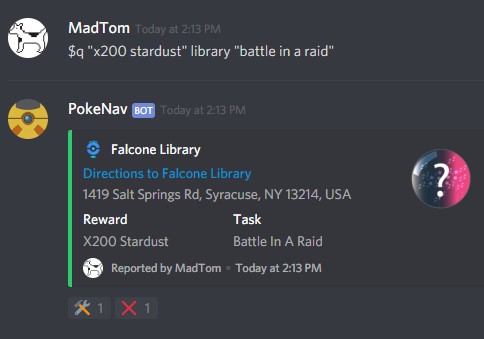
$q "x200 stardust" library "battle in a raid"
For research tasks that give stardust or pokeballs as rewards, quote the reward and replicate the wording as closely as possible.
Research Tasks on the Pokemap
Here’s an example of how research tasks for the 6 pokestops on the main campus quad were reported on April 25.
$q "x200 stardust" library "battle in a raid"
$q Aerodactyl clock "use an item to evolve a pokemon"
$q "Omanyte / Kabuto" iron "win a level 3 or higher raid"
$q Gastly bell "make 3 great throws"
$q "x200 stardust" grewen "hatch an egg"
$q "x500 stardust" pac "use 5 berries to help catch a pokemon"
Here’s how these research tasks map onto the Pokemap.

If you click the reward icon for a given task, it will expand to show more detail.
